


Ace Cleaner
3.7126.00 Reviews
App Specs
- Version
- V1.1.8
- Updated On
- License
- Free
- Downloads
- 5,000,000+
- Developer
- Veristocop18
- Categories
- Tools
- Platform
- Android
Screenshots
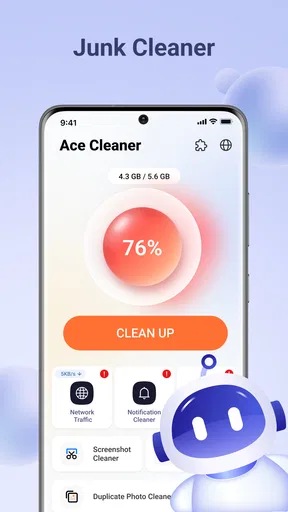
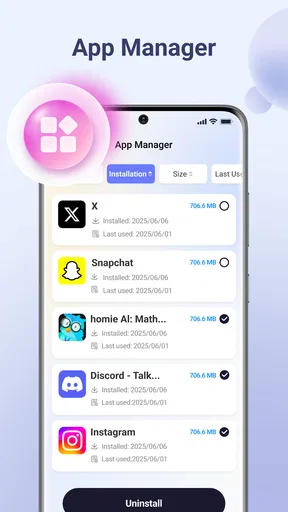
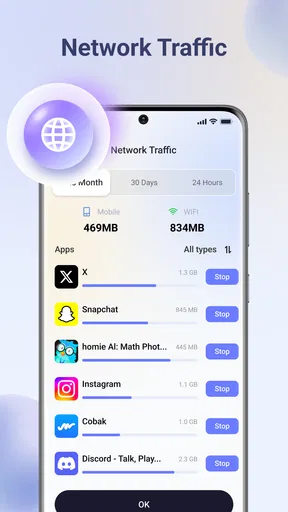
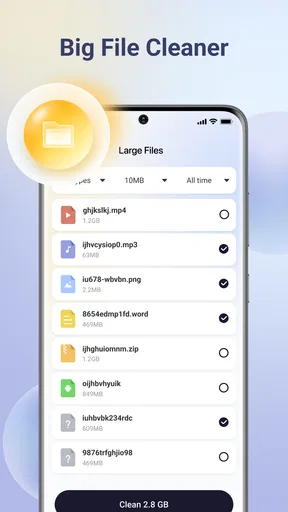
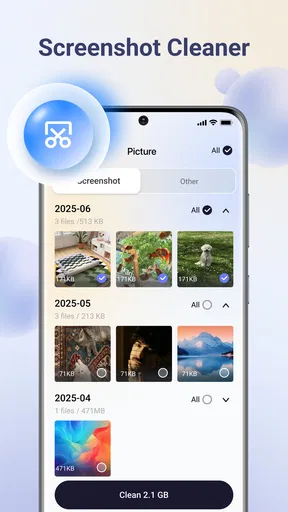
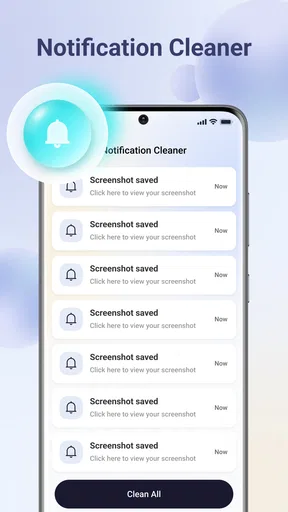
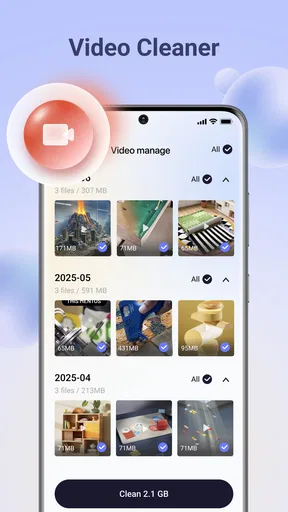
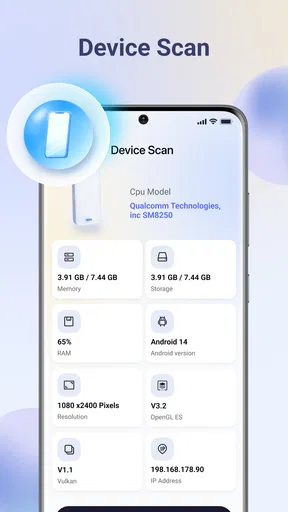
 Analysis by AppCompare
When a phone is shared by several people, “cleaning it up” is not as simple as pressing one large button. A parent may want to remove temporary clutter, another household member may be trying to find old documents, and someone else may be protective of personal photos. I tested Ace Cleaner with that kind of everyday situation in mind, and I found it most useful as a hands-on housekeeping tool rather than a completely automatic solution.
Developed by Veristocop18, this free Android tools app focuses on cleaning unwanted files and bringing photos, videos, and documents into a more manageable order. Its store summary is straightforward, but the practical question is whether it helps without making shared-device organization stressful. My answer is cautiously positive: it can make routine cleanup easier, provided the person using it slows down before deleting anything.
Using Ace Cleaner on a shared household phone
The most realistic use case is a phone that has gradually become everyone’s storage cupboard. Screenshots from school messages sit beside family photos, downloaded clips compete with work files, and duplicate-looking images are difficult to judge when several people use the same device. In that setting, I would not hand the app to every user and ask them to clean freely. I would choose one person to coordinate the process and treat the first session as an inspection.
That distinction matters because a cleaner is dealing with categories that can look disposable while still having personal value. A video may be old but important to one family member. A document may have been downloaded months ago and still be needed for an appointment. Even a screenshot that appears trivial can contain an address, receipt, or reference number. Ace Cleaner is helpful when it turns a messy storage area into something easier to review, but it does not replace household judgement.
I found the strongest routine to be a short, scheduled check rather than an emergency purge. The coordinator can begin with the least sensitive material, such as obvious temporary downloads or files that the household already recognizes as unnecessary. Photos and videos should come later, when the relevant people are available to confirm what can go. This approach reduces the chance that one person’s idea of clutter becomes another person’s lost memory.
For a shared tablet used by children and adults, the same rule applies. The app’s Everyone content rating makes it approachable from an age-classification perspective, but that should not be confused with independent deletion permission. The rating describes suitability of the app’s content, not a household’s preferred boundaries around private files or important records.
What the first cleanup should look like
I recommend starting by opening each available category and reading the labels carefully instead of accepting a broad cleanup suggestion immediately. The useful question is not “Can this file be removed?” but “Does everyone who might need this file agree?” That small change in thinking is especially valuable on a family device, where ownership is often blurred.
Worth Reading Before You Choose

EA SPORTS FC Mobile 26 Is a Bigger Football Game, but It Takes Time

Flipboard Shows What News Apps Must Do Beyond the Feed

Switching to Android Auto Means Rethinking Your Driving Routine

Google Calendar Makes a Crowded Week Easier to Manage

Ludo King Makes the Most of the Minutes Between Plans

Baby Panda World Brings Quick Play to Modern Phones, but Its Game Library Feels Busy
A practical first pass looks like this:
- Review clutter before removal: use the cleaning view as an inventory, not as permission to erase everything it surfaces.
- Separate shared material from personal material: family albums and household documents deserve a different decision process from one person’s private downloads.
- Handle media in batches: review a narrow group of photos or videos at a time so mistakes are easier to notice.
- Finish with documents: confirm that forms, tickets, receipts, and school files are no longer needed before touching them.
This workflow is slower than an aggressive one-tap cleanup, but it is much more suitable for a device with several users. It also makes the app easier to trust because each deletion has a visible reason behind it.
Setting boundaries before anyone taps delete
Ace Cleaner does not turn a shared phone into a multi-account filing system. I would therefore establish boundaries outside the app before using it. Decide who starts the scan, who can approve deletion, and which folders or types of content require a second opinion. If the phone contains a mixture of school, work, medical, and personal material, that conversation is more important than the cleaning tool itself.
One useful household rule is to create a “pause” category mentally, even if the app does not provide a dedicated family workflow. Anything uncertain stays in place until its owner has been asked. This is particularly effective for documents, because their filenames can be vague and their importance is often invisible from a thumbnail. A file called “scan” or “image” may be far more valuable than a clearly named download.
I would also avoid making the first session part of a rushed morning routine. If somebody is leaving for school or work, they are unlikely to inspect media carefully. Cleanup works better when the device is available, the coordinator has time to compare items, and other users can answer questions. The app can support the process, but it cannot supply the household agreement that prevents accidental loss.
Another boundary concerns expectations. A cleaner can help organize visible content, yet it should not be treated as a complete storage-management strategy for every problem. If the phone is full because of large personal recordings, the solution may be moving those files elsewhere or deciding which memories deserve long-term storage. Deleting random small items may produce a tidier list without solving the real space problem.
Coordinating photos, videos, and documents without confusion
The three content types named by the app need different handling. Photos are often emotional and visually similar, videos consume attention and storage, while documents carry practical consequences. I would not use the same approval standard for all of them.
For photos, look for genuinely redundant shots rather than simply old ones. A family member may want several versions of the same event because each person appears differently in them. A safer approach is to remove only images that are unmistakably accidental, such as repeated captures of the same screen or blurred shots that nobody would reasonably keep. If two pictures are similar but not identical, ask before deleting.
Videos deserve an even more deliberate review. A short clip can be easy to overlook in a list but meaningful later. I prefer to identify large or obviously unwanted recordings first, then discuss the remaining items with the person who created them. This is one of the less obvious trade-offs of using a cleaner: the category that appears most valuable for freeing space may also require the most patience.
Documents should be organized by purpose before they are removed. I would check whether a receipt is needed for reimbursement, whether a school file is still relevant, and whether a form has been saved in another location. If nobody can identify a document, keeping it temporarily is often wiser than deleting it merely because the filename looks untidy.
For coordination, a simple spoken checklist works surprisingly well. Tell the household which category is being reviewed, announce when deletion is about to happen, and stop if someone claims an item. This may sound excessive for a utility app, but shared devices create shared consequences. The cleaner becomes much safer when paired with a clear human process.
Age, trust, and the meaning of an Everyone rating
The Everyone age rating makes Ace Cleaner suitable for a broad audience in terms of content, and that is useful for a household where younger users may see the app installed. Still, I would separate “can open the app” from “should manage the device.” Cleanup involves judgement, privacy, and sometimes irreversible decisions. A child might understand that a file is old without understanding why it must be retained.
For younger users, I would use the app as a teaching aid rather than a self-service deletion tool. They can learn the difference between a temporary download, a family photo, and an important document while an adult makes the final decision. This turns a storage problem into a practical lesson about digital ownership and shared responsibility.
Trust also matters between adults. A spouse, roommate, or older child may have legitimate private material on the same device. If one person performs a full cleanup without discussing the scope, the technical action can become a personal boundary problem. I would keep the review transparent: explain what is being checked, let people identify protected material, and avoid treating privacy as evidence of clutter.
Because the app is free, it is easy to install for a trial without adding a purchase decision to the household discussion. That lowers the barrier to testing it, but it does not lower the need for care. Free access is convenient; it is not a substitute for checking what the app is about to remove or reorganize.
The app has reached over five million installs, while its average rating is 3.6 from around five thousand ratings. I read that combination as a sign of broad interest with a mixed experience rather than an automatic recommendation. It is popular enough to be familiar to many Android users, but the rating suggests that expectations should remain realistic. In my view, the safest way to approach it is as a useful assistant for review, not as a magic answer to every storage complaint.
Where it fits among ordinary alternatives
Android’s built-in storage settings are often the first alternative, and they remain a strong choice when the goal is simply to see what is using space. System tools usually feel more conservative because they are integrated into the phone, and some users will prefer that familiarity for basic maintenance. Ace Cleaner becomes more appealing when the user wants a more focused place to inspect photos, videos, and documents together.
Manual file browsing is another option. It offers maximum control, but it can be tedious on a crowded device, especially when filenames are poor and media is scattered. Ace Cleaner’s value is the reduction in searching: it brings the cleanup task into a purpose-built flow. The trade-off is that a specialized cleaning interface may encourage faster decisions than a careful manual review, so I would still keep the approval process deliberate.
Cloud photo services and dedicated file managers may be better for households that need long-term sharing, backups, or clear personal spaces. Those tools address organization and access in a broader way, whereas Ace Cleaner is aimed at tidying the device itself. If the real problem is that several people cannot tell whose files are whose, a cleaning app alone will not solve it. A clearer account or folder arrangement would be the better investment.
I would also skip it if you already have a reliable, familiar cleanup routine and the phone is not difficult to manage. Installing another utility adds another interface to learn. On the other hand, someone who repeatedly postpones storage maintenance because manual browsing is frustrating may find the app worthwhile precisely because it gives the task a visible starting point.
Version, compatibility, and practical expectations
The current release is V1.1.8, and it runs on Android 7.0 or later. That makes it relevant to a wide range of Android phones, including devices that are not running the newest software. Compatibility is helpful for households that keep an older spare phone in circulation, although the experience can still vary with the device’s own storage system and file arrangement.
I would check the phone’s available space before beginning a large cleanup and make sure the battery is not critically low. A review of many media files can take attention and time even when the app itself is straightforward. More importantly, I would avoid uninstalling or interrupting the process in the middle of a decision-heavy session. Finish one category, confirm the result, and only then move to the next.
After cleanup, do not assume that a tidier list means the household’s storage habits have changed. Agree on a small maintenance routine: remove clearly disposable downloads after they are used, move important documents into a known location, and ask before deleting shared media. Ace Cleaner is more useful when it becomes part of that routine instead of being opened only after the phone is already overwhelmed.
One of my favorite practical tips is to use the app’s organizing purpose before its deleting purpose. Even when the final decision is to keep a file, seeing related photos, videos, and documents together can reveal what needs a proper home. That makes the session productive without forcing a risky deletion. It also helps a household identify whether the device is suffering from clutter, duplicated memories, or simply too many large recordings.
My household verdict
Ace Cleaner is a reasonable free tool for Android users who want a clearer way to review unwanted files and bring everyday media and documents under control. I especially see its value on a shared household phone where manual searching has become too frustrating, but I would use it with one coordinator and explicit agreement about personal material.
Its strongest quality is focus: it puts common cleanup targets in front of the user instead of leaving everything buried in a general file browser. Its main weakness is equally important: no cleaner can understand the emotional or practical value of a file simply from its appearance. The more people who use the device, the more important human review becomes.
For a private phone owned by one careful adult, built-in Android storage tools may be enough. For a family device full of mixed photos, videos, downloads, and documents, this app can provide a useful starting point. I would recommend it to households that are willing to inspect before deleting, and I would skip it for anyone expecting a completely automatic cleanup with no need for decisions.
In short, the best way to use Ace Cleaner is as a shared-device review desk, not an unattended delete button. With that expectation, it can make a neglected phone easier to understand and maintain. Without it, the convenience of a cleaner may create more household friction than it removes.
Pros
- Quickly removes junk files and cached data.
- Includes tools for managing large or rarely used files.
- Offers app management features to help free storage space.
- Simple interface makes basic cleaning tasks easy to find.
- Can help identify battery-draining apps and background activity.
Cons
- Some cleaning results may require manual review before deletion.
- Extra tools and recommendations can feel crowded for new users.
- Aggressive cleanup suggestions may not suit every device.
- Performance benefits can vary depending on phone age and storage.
- May include ads or promotional prompts in the free version.
FAQs for Ace Cleaner
What is Ace Cleaner, and what does it do?
Ace Cleaner is an Android utility designed to help manage storage, improve device organization, and maintain everyday performance. Its tools commonly include junk-file cleaning, cache removal, memory management, app management, and battery-related options. The exact features can vary by version and device, so users should review the permissions and available tools before starting a cleanup.
Is Ace Cleaner safe to use on my Android phone?
Ace Cleaner can be useful for basic maintenance, but it should be used carefully like any application that modifies files or closes background processes. Before confirming a cleanup, review the files selected for removal and avoid deleting items you do not recognize. Downloading it from a trusted source and checking recent reviews, permissions, and developer information is also recommended.
Can Ace Cleaner delete important photos, documents, or app data?
Ace Cleaner is generally intended to target temporary files, cached data, residual files, and other items considered unnecessary. However, automated cleaning tools can occasionally identify files differently from the user. We recommend checking the scan results manually, especially when cleaning large folders, downloads, duplicate media, or application data. Back up important photos and documents before using deeper cleaning options.
Does Ace Cleaner really improve phone speed and battery life?
Ace Cleaner may help free storage and reduce clutter, which can make a phone feel more responsive when available space is very low. Its effect on battery life and performance is usually limited and depends on the device, Android version, and apps installed. Frequently closing applications or using aggressive optimization features may not provide lasting benefits and can sometimes cause apps to reload more often.
What permissions does Ace Cleaner require, and should I grant them?
A cleaning application may request access to storage, installed applications, usage information, notifications, or other device functions in order to scan files and provide its tools. Grant only the permissions needed for features you actually plan to use. If a permission seems excessive or unclear, deny it and check whether the app remains functional. Always review privacy details before sharing personal device information.


